
Maintaining a healthy website is essential for SEO, user experience, and overall site performance. One of the biggest threats to website health is broken links, links that no longer work or lead to a 404 error page. A Broken Link Checker is a tool designed to quickly identify all broken links on your website, saving time and helping you maintain a smooth browsing experience for your visitors.
In this guide, we will explore everything you need to know about broken links, why they matter for SEO, and how a Broken Link Checker tool can simplify the process of finding and fixing dead links on your site.
What Is a Broken Link Checker?
A Broken Link Checker is an online tool that scans your website to find links that no longer work. These can include:
Internal links: links pointing to pages within your own website
External links: links pointing to other websites
Images with broken URLs
Anchors linking to non-existing sections
The tool automatically analyzes each link, checks its HTTP status code (like 200 for OK, 404 for Not Found, 301 for redirects), and provides a detailed report of broken or dead links.
Using a Broken Link Checker is far easier than manually checking each page. Especially for large websites with hundreds or thousands of pages, automation is essential.
Why Broken Links Hurt Your Website
Broken links are more than just annoying for users, they can negatively impact your website’s SEO and credibility. Here’s why:
1. Poor User Experience
When a visitor clicks a broken link and encounters a 404 page, it creates frustration and decreases trust. A website full of broken links can quickly drive users away.
2. Negative SEO Impact
Search engines like Google see broken links as a sign of poor website maintenance. Pages with multiple broken links may rank lower in search results, which can reduce traffic over time.
3. Increased Bounce Rate
Users encountering dead links often leave immediately, increasing your bounce rate. High bounce rates can signal search engines that your website provides a poor experience.
4. Wasted Link Equity
If internal links lead to pages that no longer exist, you waste the link equity that helps your other pages rank higher.
How a Broken Link Checker Tool Works
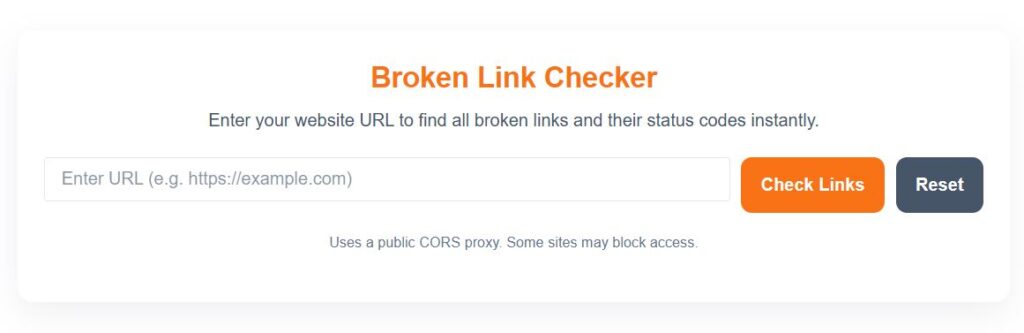
A Broken Link Checker scans your website for links and checks their status using HTTP codes. Here’s how it works step by step:
Enter Your URL: You start by entering your website’s URL into the tool.
Scan the Pages: The tool crawls your website, checking each page for internal and external links.
Check Link Status: Every link is analyzed for HTTP response codes like 200 (OK), 301 (Redirect), 404 (Not Found), and 500 (Server Error).
Generate Report: The tool produces a list of broken or redirected links with the exact status code and URL.
Fix the Issues: You can then go through the report to update, remove, or redirect broken links.
Modern Broken Link Checker tools can also check links in images, scripts, and other embedded elements, making the audit more comprehensive.
Benefits of Using a Broken Link Checker
Using a Broken Link Checker provides multiple advantages for website owners, SEO specialists, and bloggers:
1. Saves Time
Manually checking hundreds of links is tedious and error-prone. The tool automates the process, scanning your entire website in minutes.
2. Improves SEO
By fixing broken links, you ensure that search engines can crawl your site properly, which helps improve rankings.
3. Enhances User Experience
Visitors won’t encounter frustrating dead links, which keeps them engaged and more likely to return.
4. Prevents Loss of Revenue
For e-commerce websites, broken links can lead to lost sales if users can’t access products. Fixing these links ensures smoother conversions.
5. Monitors External Links
The tool can detect broken external links that you don’t control, helping you maintain a professional, trustworthy website.
When to Use a Broken Link Checker
A Broken Link Checker should be used regularly to maintain a healthy website. Some situations include:
After a website redesign
When migrating to a new domain
After deleting or moving pages
Periodically for large websites with frequent updates
Before SEO audits
Regular use helps you catch broken links early, preventing negative SEO impact and ensuring that your website remains user-friendly.
How to Fix Broken Links
Once the Broken Link Checker identifies broken links, here are common ways to fix them:
1. Update the URL
If the page has moved, update the link to the new URL.
2. Remove the Link
If the content no longer exists, remove the link to prevent users from landing on a 404 page.
3. Implement 301 Redirect
Redirect the broken URL to a relevant page using a 301 redirect. This preserves link equity and provides a seamless user experience.
4. Correct Typos
Sometimes broken links are simply caused by typos in the URL. Correcting these resolves the issue instantly.
Best Practices for Broken Link Management
Check links regularly using a reliable Broken Link Checker tool.
Focus on internal links first; they are crucial for SEO.
Audit external links to maintain credibility.
Document fixes for future reference.
Monitor server logs for 404 errors to proactively fix issues.
Top Related Tools for Website Health
Meta Tag Extractor: Check your meta tags for SEO.
URL Canonical Checker: Ensure correct canonical URLs to avoid duplicate content.
Robots.txt Generator: Control which pages search engines can crawl.
XML Sitemap Validator: Confirm your sitemap is working correctly.
- Keyword Density Checker: Use our free Keyword Density Checker tool
Using a combination of these tools along with a Broken Link Checker ensures your website is fully optimized and free from technical issues.
Related Posts:
FAQs About Broken Link Checker
1. What is a Broken Link Checker?
A Broken Link Checker is an online tool that scans your website to find broken, dead, or redirected links, helping you maintain site health and improve SEO.
2. Can it check external links?
Yes, most Broken Link Checker tools can scan both internal and external links to ensure all URLs on your website are functional.
3. Why are broken links bad for SEO?
Broken links lead to poor user experience, lost link equity, and can signal neglect to search engines, which may negatively affect rankings.
4. How often should I use a Broken Link Checker?
It’s recommended to check your website at least once a month, or after major updates, redesigns, or content migrations.
5. Are Broken Link Checkers safe?
Yes, reputable online tools only scan your website and do not store sensitive data. Using a trusted tool ensures safe and accurate results.
Final Thought
A Broken Link Checker is essential for anyone who owns or manages a website. It saves time, improves SEO, enhances user experience, and ensures your website remains professional and trustworthy. By regularly scanning your site for dead links, you prevent broken URLs from hurting your search rankings and keep visitors happy.
Investing a few minutes in using a Broken Link Checker can have long-term benefits for both your website performance and SEO growth.