What Is a Meta Tag Extractor?
A Meta Tag Extractor is an online tool that scans a webpage and extracts all the important meta tags from its HTML code. These include the meta title, meta description, meta keywords, robots tag, canonical tag, Open Graph tags, Twitter tags, and many other important SEO elements. These tags help Google and social platforms understand your page content and decide how it appears in search results and social previews.
Using a Meta Tag Extractor makes SEO analysis easier because instead of manually checking source code, you can paste a URL and instantly see all tags clearly organized. This is why bloggers, SEOs, content creators, and website owners use this tool regularly to audit their pages.
In this guide, we’ll explore how a Meta Tag Extractor works, why it matters for SEO, and how to use it to optimize your website visibility.
Why Meta Tags Are Important for SEO
Meta tags may not be visible to users, but they play a major role in search engine rankings, click-through rates, and user experience. Here’s why they matter:
1. Helps Search Engines Understand Your Page
Google uses the meta title and meta description to understand the topic and relevance of your content. A Meta Tag Extractor helps you detect whether these tags are properly written or missing.
2. Improves Click-Through Rates (CTR)
A strong title and description attract more clicks. If your meta description is too short, too long, or irrelevant, a Meta Tag Extractor will reveal that so you can improve it.
3. Detects Missing or Duplicate Tags
Duplicate titles or missing descriptions can hurt rankings. With a Meta Tag Extractor, you can identify these issues instantly.
4. Helps Social Media Optimization
Open Graph (OG) and Twitter tags control how your page appears when shared on Facebook, Twitter, LinkedIn, and other platforms. The tool shows you if any of these social tags are missing.
5. Essential for Technical SEO
Technical SEO relies heavily on proper meta tags such as:
canonical tag
robots meta
viewport tag
charset tag
A Meta Tag Extractor makes it easy to check all of this in seconds.
How a Meta Tag Extractor Works
A Meta Tag Extractor analyzes a URL by fetching its HTML source code, scanning the <head> section, and extracting all meta tag information it finds.
Here’s what the tool typically extracts:
✔ Meta Title
The main title shown in search engine results.
✔ Meta Description
Snippet shown under the title in Google.
✔ Meta Keywords
Not used for ranking but still referenced by some systems.
✔ Robots Meta Tag
Controls indexing and crawling.
✔ Canonical Tag
Prevents duplicate content issues.
✔ Open Graph Tags
Used for Facebook, LinkedIn, and other social previews.
✔ Twitter Card Tags
Improves how your page appears on Twitter.
✔ Viewport Tag
Makes your website mobile-friendly.
✔ Charset Tag
Defines character encoding.
✔ H1 Tag (optional)
Some extractors also scan heading tags to give more SEO insights.
✔ Schema Markup Detection
Some advanced tools highlight if schema exists on the page.
Good Meta Tag Extractors extract everything without altering or modifying the page. They simply show raw but well-formatted data.
Benefits of Using a Meta Tag Extractor
Using a Meta Tag Extractor gives you multiple benefits:
1. Saves Time
Instead of opening Page Source and searching manually through hundreds of lines of HTML, you get clean output in one click.
2. Improves On-Page SEO
By analyzing titles, descriptions, and tags, you can optimize your content better.
3. Competitive Analysis Made Easy
Paste a competitor URL → extract their meta tags → learn how they structure SEO content.
4. Helps Fix Indexing Issues
Missing or incorrect robots and canonical tags can prevent your page from ranking.
5. Better Social Media Sharing
Extracting OG tags helps ensure your shared content looks professional
When Should You Use a Meta Tag Extractor?
You should use a Meta Tag Extractor when:
You want to check your own SEO tags
You’re analyzing competitor websites
You’re checking if a page has proper OG/Twitter tags
You want to fix Google indexing issues
You’re redesigning old pages and need updated metadata
You want to ensure every page has unique meta tags
Using this tool regularly helps keep your SEO clean, structured, and search-engine friendly.
Key Meta Tags You Should Always Check
Here are the most important meta tags that every webpage should have:
1. Title Tag
Ideal length: 50–60 characters
2. Meta Description
Ideal length: 140–160 characters
3. Robots Meta Tag
Examples:
index, follownoindex, nofollow
4. Canonical URL
Prevents duplicate content.
5. Open Graph (OG) Tags
og:title
og:description
og:image
og:url
6. Twitter Card Tags
twitter:title
twitter:description
twitter:image
7. Viewport Tag (Mobile SEO)
Essential for mobile responsiveness.
A Meta Tag Extractor helps you quickly verify all of these.
Why Our Meta Tag Extractor Is Better
Our Meta Tag Extractor stands out because:
It is fast and lightweight
Fully frontend-based (no database, no privacy concerns)
Extracts all the major SEO tags
Clean, simple UI
Gives accurate results
Works on most websites
Mobile-friendly design
Shows missing tags clearly
No coding or advanced skills required
Whether you’re a beginner or an SEO expert, this tool simplifies your workflow.
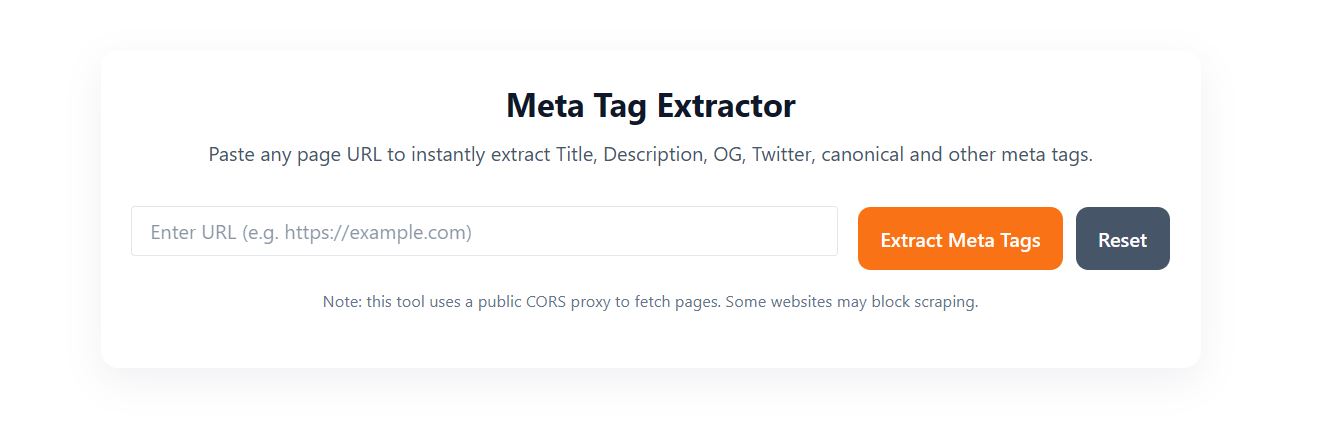
How to Use the Meta Tag Extractor
Using the tool is very simple:
Enter a URL in the input box
Click on “Extract Meta Tags”
The tool fetches HTML source code
It scans the
<head>sectionIt displays all meta tags neatly
That’s it! Completely beginner-friendly.
Related Posts
FAQs About Meta Tag Extractor
1. What is a Meta Tag Extractor?
It is a tool that fetches a webpage’s source code and extracts important meta tags like title, description, OG tags, and canonical URL.
2. Is a Meta Tag Extractor useful for SEO?
Yes, it helps you detect missing, duplicate, or poorly written meta tags, which directly affect search rankings and click-through rates.
3. Can I extract meta tags from competitor websites?
Yes. Simply enter their URL and the tool extracts visible SEO-related meta tags.
4. Does this tool support Open Graph tags?
Absolutely. It displays all OG tags used for Facebook and LinkedIn sharing.
5. Will the tool work without an API?
Yes. A frontend-only Meta Tag Extractor uses a public CORS proxy to fetch HTML.
6. Is it safe to use this tool?
Yes. It does not store URLs, metadata, or user information.
Final Thoughts
A Meta Tag Extractor is one of the most essential tools for SEO analysis. Whether you’re optimizing your own website or researching competitor pages, this tool gives you instant insights into titles, descriptions, canonical tags, OG properties, robots instructions, and more. It saves time, improves on-page optimization, and helps you fix critical SEO issues quickly.
If your goal is to improve ranking, boost CTR, or strengthen social media previews, using a Meta Tag Extractor regularly can make a huge difference.