In the fast-paced world of SEO, maintaining a website free of duplicate content is crucial. Duplicate content can dilute your website’s authority, confuse search engines, and negatively impact your rankings. One of the most effective ways to manage this issue is by implementing canonical URLs.
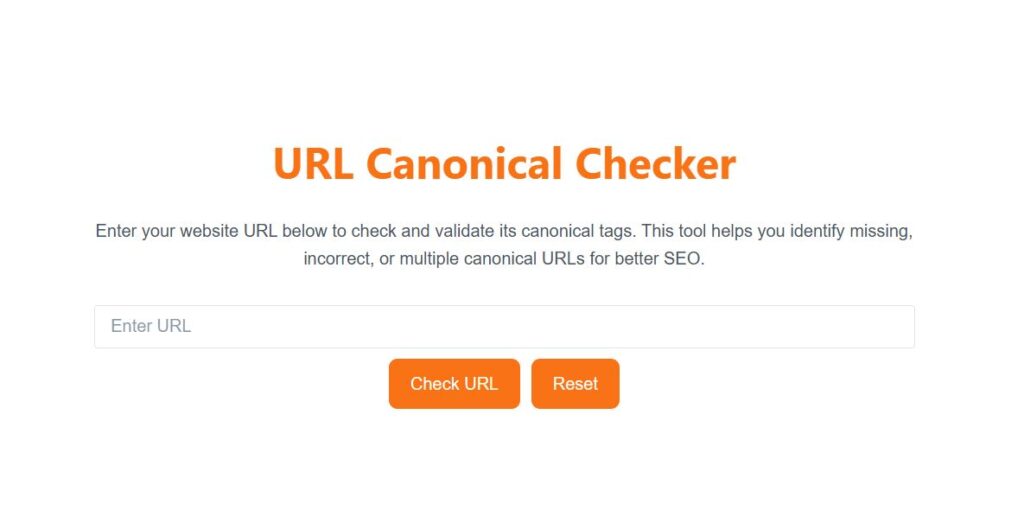
A URL Canonical Checker is a powerful online tool that helps website owners, marketers, and SEO professionals ensure that every page on their site points to the correct canonical URL. By verifying canonical tags, you can prevent duplicate content penalties, consolidate link equity, and improve your site’s search engine performance.
If you want to optimize your content properly, start by checking your keyword density this free tool gives you instant results.
With this blog, you’ll learn why canonical tags matter, how a Canonical URL Checker works, common issues it can detect, and best practices for keeping your site SEO-friendly.
What is a URL Canonical Checker?
A URL Canonical Checker is a tool designed to scan web pages and detect the presence and correctness of canonical tags. The canonical tag, written as <link rel="canonical" href="URL">, informs search engines about the preferred version of a page.
This tool is essential for any website that might have multiple URLs leading to similar content, such as e-commerce product pages, blog posts with duplicate content, or filtered pages.
Key benefits include:
Identifying missing canonical tags
Detecting multiple canonical tags
Validating canonical URL pointing errors
Ensuring self-referencing canonical tags are correct
By using a Canonical URL Checker, you can quickly spot issues and fix them, ensuring that search engines index the correct version of your pages.
Why Are Canonical URLs Important for SEO?
Canonical URLs are vital for proper SEO management. They help search engines:
Prevent Duplicate Content Issues: Duplicate content can occur when the same content is accessible through multiple URLs. A canonical tag ensures search engines know which page is authoritative.
Consolidate Link Equity: Backlinks pointing to different versions of the same page get consolidated to the canonical URL, improving its authority.
Improve Crawl Efficiency: Search engine bots can focus on indexing the preferred version of a page, reducing wasted crawl budget.
Enhance User Experience: Users are directed to the correct version of a page, avoiding confusion and inconsistency.
Ignoring canonical tags can lead to duplicate content penalties, decreased rankings, and wasted SEO efforts. That’s why regularly using a Canonical Tag Checker is highly recommended.
How Does a URL Canonical Checker Work?
A URL Canonical Checker works by performing a detailed scan of your web page. Here’s the step-by-step process:
Input the URL: Simply enter the URL you want to check.
Scan the Page: The tool fetches the HTML content of the page.
Detect Canonical Tags: It identifies whether a
rel="canonical"tag exists.Validate the URL: The tool checks if the canonical URL points to the correct page.
Display Results: You get a clear report highlighting any issues, including missing canonical tags, multiple tags, or incorrect URLs.
Some advanced URL Canonical Checkers also allow batch checking for multiple pages and provide downloadable reports in CSV or JSON format. This is especially useful for larger websites and e-commerce stores.
Once your content is ready, make sure to check your broken links so no page authority goes to waste.
Common Issues Detected by a URL Canonical Checker
Using a Canonical Tag Validator helps identify common SEO issues that could harm your website’s ranking:
Missing Canonical Tag: Pages without canonical tags can be indexed in multiple versions.
Multiple Canonical Tags: Pages with more than one canonical tag create confusion for search engines.
Incorrect Canonical URLs: The canonical tag points to the wrong page, causing potential ranking issues.
Non-Self-Referencing Canonical Tags: Pages that don’t self-reference when they should can lose authority.
Broken Links: Canonical URLs pointing to 404 or non-existent pages.
A Canonical URL Validator instantly highlights these problems, allowing you to correct them before they impact your SEO.
How to Use a URL Canonical Checker Effectively
To maximize the benefits of a URL Canonical Checker, follow these best practices:
Check All Important Pages: Start with high-traffic pages, landing pages, and product pages.
Batch Checking: For larger websites, use batch checking to save time.
Fix Detected Issues: Update canonical tags in the HTML or CMS immediately.
Revalidate After Fixes: Always recheck pages to ensure the canonical tags are correct.
Monitor Regularly: Periodic checks help maintain SEO health as new pages are added.
By following these practices, you can ensure that your website’s SEO remains strong and free from duplicate content issues.
And if you’re stuck on a headline, this AI Blog Title Generator will do the creative work for you.
Benefits of Using a URL Canonical Checker
Time-Saving: No need to manually inspect HTML code.
SEO-Friendly: Helps maintain canonical URLs and prevent duplicate content penalties.
Easy to Use: Requires minimal technical knowledge; enter the URL and get instant results.
Detailed Reporting: Provides insights into multiple issues on a single page.
Batch Analysis: Analyze multiple URLs at once for larger websites.
Boosts Rankings: Correct canonical implementation consolidates link equity and improves SEO performance.
Using a Canonical URL Checker Online ensures your website remains compliant with SEO best practices and helps search engines recognize your authoritative pages.
Related SEO Tools to Consider
Along with a URL Canonical Checker, SEO professionals often use other tools for complete optimization:
Duplicate Content Checker: Identify duplicate content across your site.
SEO Audit Tools: Comprehensive analysis including canonical tags, meta tags, and page speed.
Canonical Tag Validator: Specifically validates canonical tags for multiple pages.
Broken Link Checker: Ensures canonical URLs and internal links are functional.
These tools complement each other, providing a full view of your website’s SEO health.
Related Posts:
- Free Meta Tag Generator
- Robots.txt Generator
- Free Sitemap Creator
- HTTP Status Checker
- Technical SEO Tools
FAQs
Q1: What is a URL Canonical Checker and why do I need it?
A URL Canonical Checker is an online tool that helps you verify if your website pages have correct canonical tags. Canonical tags prevent duplicate content issues, consolidate link equity, and improve SEO by telling search engines which page is the authoritative version.
Q2: How do I use a Canonical URL Checker?
Using a Canonical URL Checker Online is simple:
Enter the URL of the page you want to check.
The tool scans the HTML and detects canonical tags.
It reports if the canonical tag is missing, incorrect, or duplicated.
Fix any issues based on the report and recheck.
This process ensures that your canonical URLs are properly implemented and search engines index the right pages.
Q3: What common issues can a Canonical Tag Validator find?
A Canonical Tag Validator can detect:
Missing canonical tags
Multiple canonical tags on a page
Incorrect canonical URLs pointing to the wrong page
Non-self-referencing canonical tags
Broken canonical URLs
By fixing these issues, you prevent duplicate content penalties and maintain better SEO performance.
Q4: Can I check multiple URLs at once?
Yes! Some URL Canonical Checker tools support batch checking. This is useful for large websites or e-commerce stores, as it allows you to validate canonical tags for multiple pages quickly and efficiently.
Q5: Why are canonical URLs important for SEO?
Canonical URLs tell search engines which version of a page to index. They:
Prevent duplicate content penalties
Consolidate backlinks to a single URL
Improve crawl efficiency
Enhance user experience by directing visitors to the correct page
A reliable SEO canonical checker ensures that your site remains fully optimized and authoritative.
Q6: How often should I use a Canonical URL Validator?
It’s recommended to check your website regularly, especially when:
Adding new pages
Updating existing content
Implementing website redesigns
Regular use of a URL Canonical Checker Online helps maintain healthy SEO and prevents future duplicate content problems.
Q7: Can a Canonical URL Checker improve my search rankings?
Indirectly, yes. By ensuring proper canonical tags:
Search engines consolidate ranking signals to the preferred URL
Duplicate content penalties are avoided
Link equity is concentrated on one page
This can improve your site’s overall SEO performance and search visibility.
Final Thought
A URL Canonical Checker is essential for anyone serious about SEO. Proper canonical implementation prevents duplicate content issues, consolidates link equity, improves crawl efficiency, and ensures search engines index the right page.
Whether you manage a small blog, a corporate website, or a large e-commerce store, a Canonical Tag Checker should be part of your routine SEO workflow. By using this tool regularly, you can maintain a healthy website, boost search rankings, and maximize the impact of your content.
To organize your data easily, you can also try our TXT to CSV Converter completely free to use.
Don’t wait until duplicate content or canonical issues harm your SEO. Use a reliable URL Canonical Checker Online today and ensure that your website remains fully optimized for both users and search engines.